Launch offer ₹499 ₹2,499 80% off · ends 30 Nov 2026, 11:59 pm IST --days--hrs--min--sec
Get Daybrief · ₹499
For founders and managers

Messy meeting notes in. Clear tasks with owners and dates out.

Daybrief is 60 finished AI prompts, a playbook and a five-database Notion dashboard that turn transcripts, voice notes and WhatsApp dumps into decisions, action items and a week you can trust.

  • 60 prompts in 6 chapters, from cleaning a transcript to the weekly review
  • Five sheets that import into Notion as Tasks, Projects, Meetings, Decisions and Weekly review
  • Works with free ChatGPT, Claude or Gemini; you stay the editor
Get Daybrief · ₹499 ₹2,499 Save ₹2,000
Launch offer ends 30 Nov. One payment.
  • UPI · cards · netbanking
  • GST invoice
  • Download in under a minute
3files · PDF · XLSX
10,000+bonus ebooks, free
7 daysto download, yours to keep
₹499 ₹2,499once · GST included
See it work

See it work

One prompt from the vault, filled in for a fictional Pune snack brand and pasted above the meeting transcript.

Sample output written for this page. AI output varies.

Daybrief · prompt → result
You paste

You are a chief of staff extracting action items from a meeting record. Meeting: Weekly ops review, held on 9 November. Attendees: Meera (founder), Arjun (operations), Farah (marketing), Dev (finance), Kiran (sales). For each item give task, one owner, a calendar date, priority and the shortest quote that shows it was agreed. Suggestions nobody accepted go in a separate list. Mark unclear owners unconfirmed.

The AI answers

Release four sample hampers to Kiran | Arjun | Thu 12 Nov | High | "I will release the four hampers by Thursday"

Deliver samples to the four Mumbai retailers | Kiran | Fri 13 Nov | High

Get a payment date in writing from the Nashik distributor | Dev | Thu 12 Nov | High

Decide whether to hold the Nashik dispatch | Meera | Fri 13 Nov | High

Update the vendor contact sheet | Unassigned (unconfirmed) | no date stated | Low

Raised, not agreed: hampers for Mumbai food influencers (parked by Meera)

Count per owner: Arjun 1, Kiran 1, Dev 1, Meera 1, Unassigned 1

Sound familiar?

The work is not lost in your list. It is lost before it gets there.

01

Six meetings, zero task lists

Your notes say what was discussed. They do not say who does what by when. By Thursday, three people remember the same meeting three ways.

02

Voice notes that never become work

You dictate a clear thought in the cab. It sits in your phone as four minutes of audio that nobody, including you, will listen to again.

03

A to-do list you no longer believe

Half the items are done, a few are dead, and the one that mattered has no date. So you go back to carrying everything in your head.

The gap between something said and something written with a name and a date is small. Daybrief closes it.

Why this matters

You have probably been this person

She runs operations for a growing company in Pune. On Monday she chairs the weekly review, sits in two client calls and receives a long voice note from the founder at night. Every one of them contains commitments. None of them arrives as a task.

By Friday a distributor is still waiting for a price list that two people each thought the other was sending. Nobody was careless. The meeting simply ended without a line that said one name, one date.

Then she changes one habit. After each meeting that matters she pastes the transcript under a prompt, reads the draft the AI returns, corrects two owners and files the rows in Notion. The follow-up goes out within the hour, with each person's tasks under their name.

Nothing about her week is lighter. But the list now tells the truth, the team knows what they agreed to, and Friday's review is about what moved instead of what was forgotten.

The way out

A loop, not another app

Daybrief gives you the instructions, the method and the structure for one repeatable loop: capture the words, lift out what matters, check it yourself, tell the owners, review.

  1. 01

    Paste the mess

    A transcript, a voice-note dump, a WhatsApp export. Add your context block so the AI knows your team's names and your projects.

  2. 02

    Read the draft

    The prompt returns tasks with owners, dates and priority, a decisions list and the open questions. Anything it is unsure of is marked unconfirmed for you to check.

  3. 03

    File and follow up

    Drop the rows into the Notion Tasks database, send the recap the prompt drafts for you, and see it all on one dashboard: Today, This week, Waiting on, by Project.

What you will understand

The thinking behind it

The prompts work because of a few plain rules about meetings and tasks. They are worth knowing even if you never buy anything.

I

Clean first, extract second

A raw transcript has wrong speakers and broken sentences, and those errors become wrong owners. Tidy the record, check who said what, and only then ask for action items.

II

A meeting has three outputs

Decisions, actions and open questions. If your notes do not contain those three lists, you have a record of a conversation, not of its results.

III

No task without a verb, one owner and a date

"Pricing" is a topic; "Dev to send the revised price list by Friday 14th" is a task. When any of the three is missing, the honest label is unconfirmed and the next step is a one-line question.

IV

AI drafts, you confirm

A model can attach the wrong name or invent a tidy date with complete confidence. Nothing reaches your list or a colleague until you have read it.

V

A list you do not review, you stop trusting

Ten minutes at the end of the day and thirty on Friday keep the system true. Each weekly review ends with exactly one change, because six resolutions are forgotten by Wednesday.

What you get

What is inside Daybrief

Three files in the core pack. Each is useful on its own; together they are the whole loop.

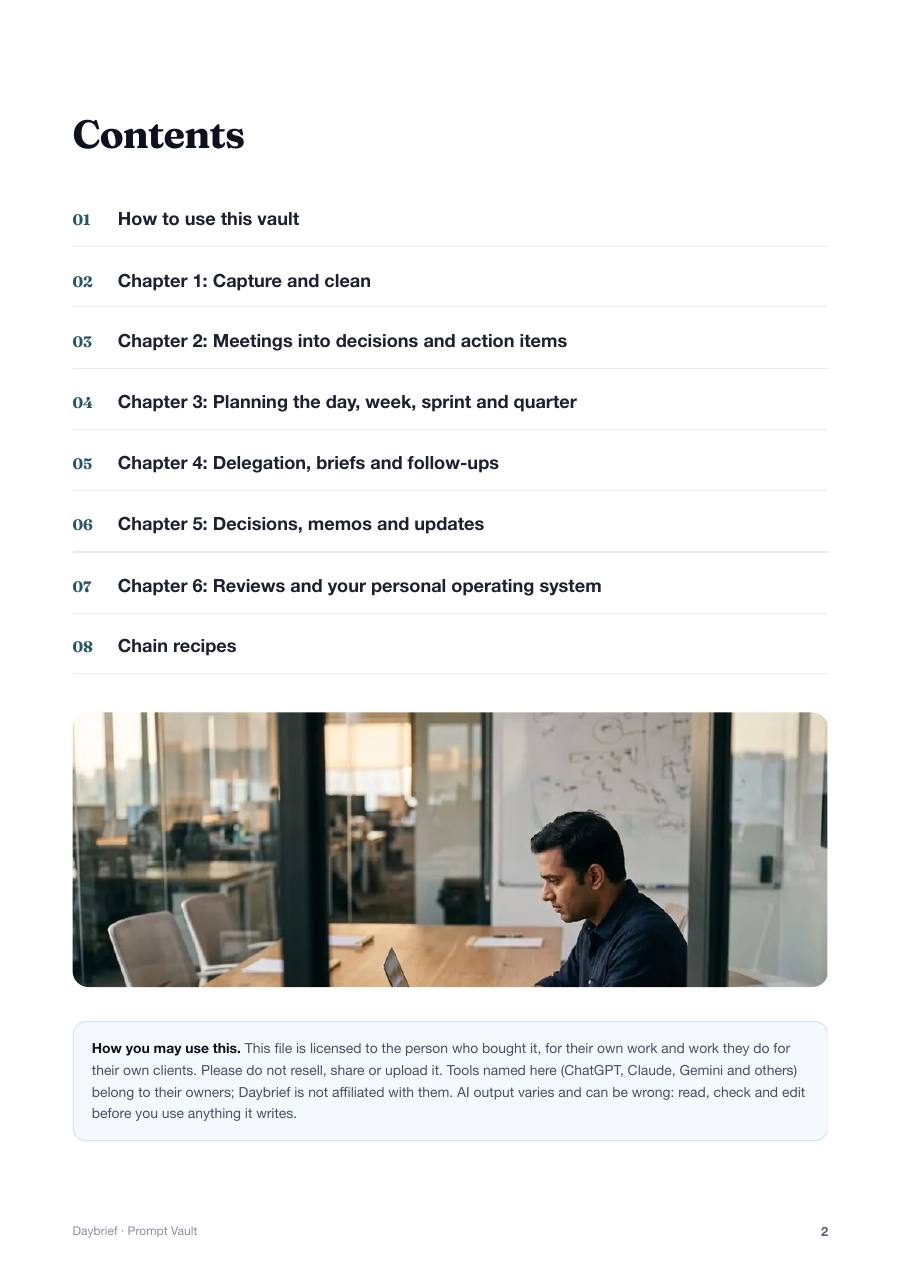
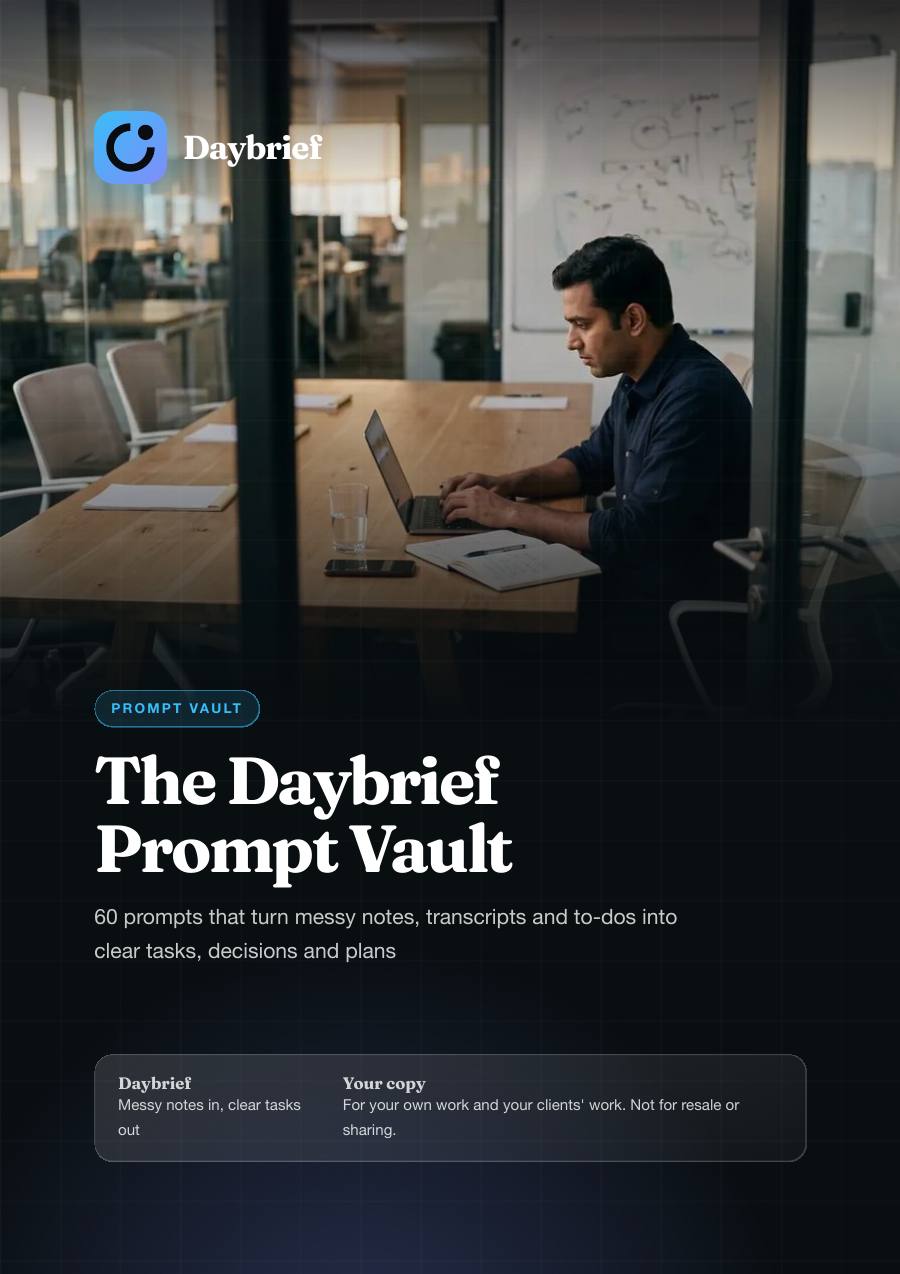
The Executive Prompt Vault: Notes to Tasks

The Executive Prompt Vault: Notes to Tasks

Sixty finished prompts, each with a role, what to paste, constraints and a fixed output format. They tell the AI to mark anything it is guessing, so you know exactly what to check.

  • 60 prompts in 6 chapters of 10
  • Capture and clean: voice notes, WhatsApp exports, mixed Hindi and English transcripts
  • Meetings into action items, a decisions log, one-screen minutes and the follow-up message
  • Planning for the day, week, sprint and quarter, with the arithmetic shown
  • Delegation briefs, nudges in three tones, decision memos, board updates and 1:1 prep
  • 5 chain recipes and a reusable context block for your team and projects
Format
PDF
Files
1
Size
1 MB
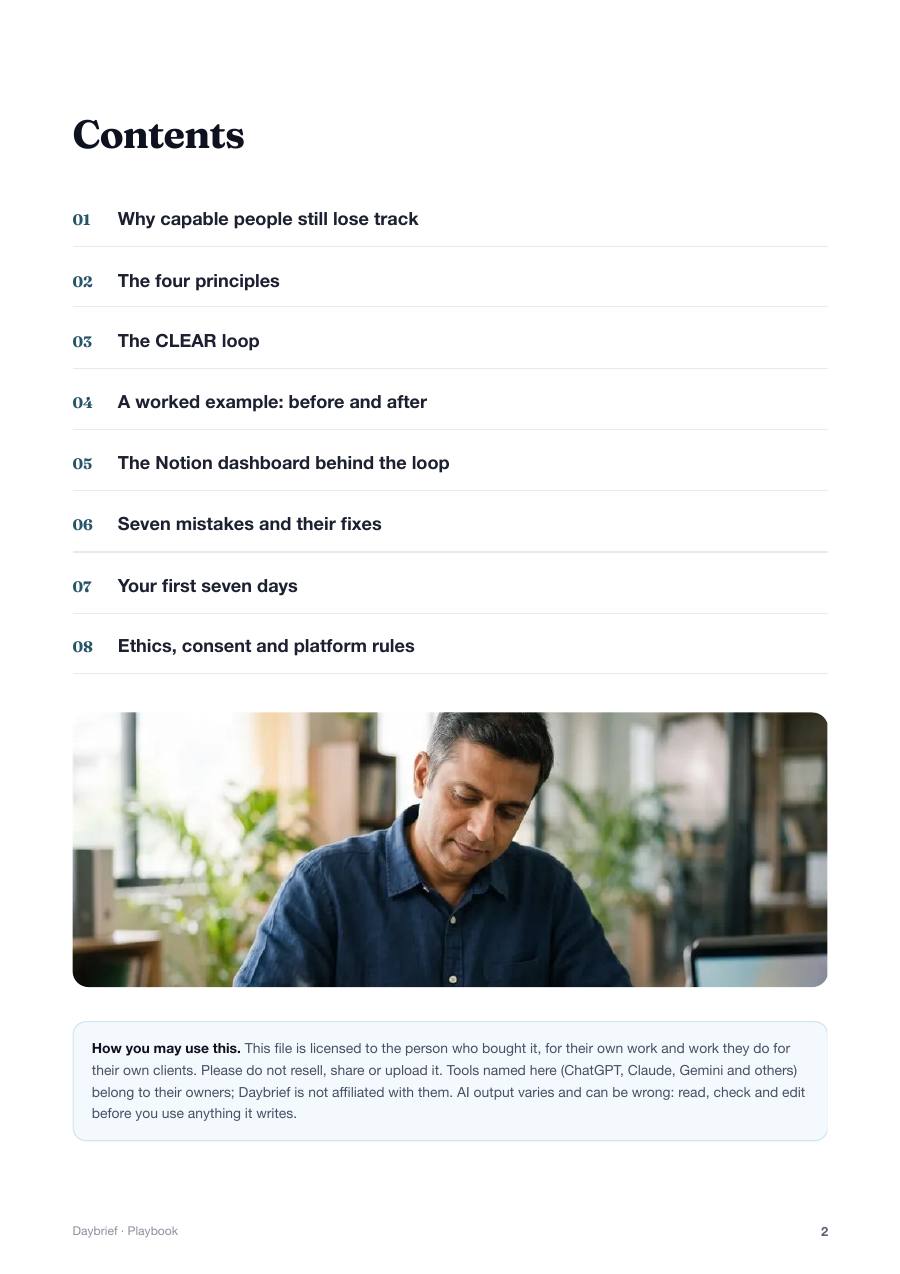
The CLEAR Loop Playbook

The CLEAR Loop Playbook

The method behind the prompts, in eight short chapters. It explains why capable people lose track and gives you a loop you can run after every meeting.

  • The five-stage CLEAR loop: Capture, Lift, Edit, Assign, Review
  • A checklist for every stage
  • One meeting shown before and after, line by line
  • 7 common mistakes and the fix for each
  • A day-by-day plan for your first 7 days
  • A chapter on consent, confidentiality and platform rules
Format
PDF
Files
1
Size
639 KB
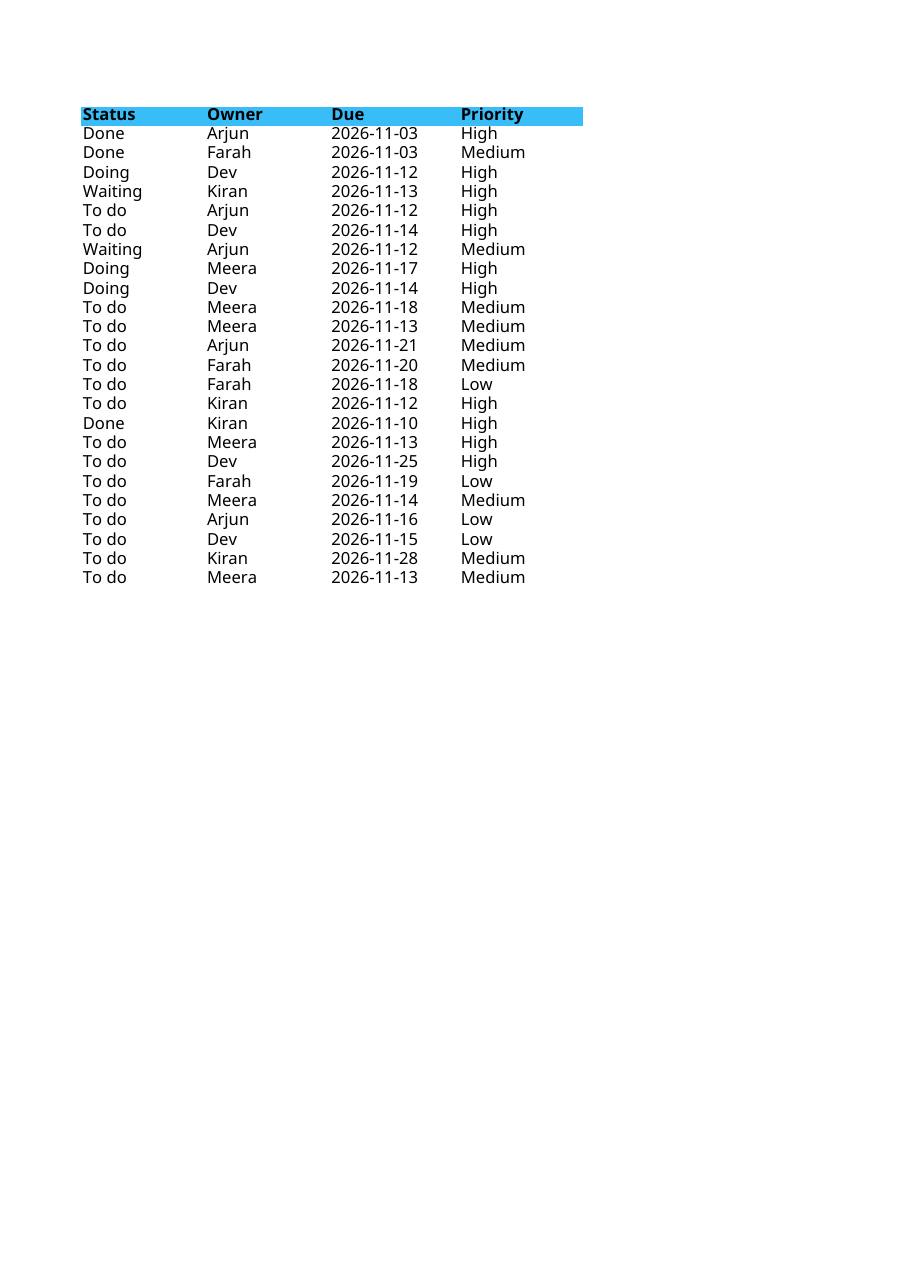
The Notion Dashboard Workbook

The Notion Dashboard Workbook

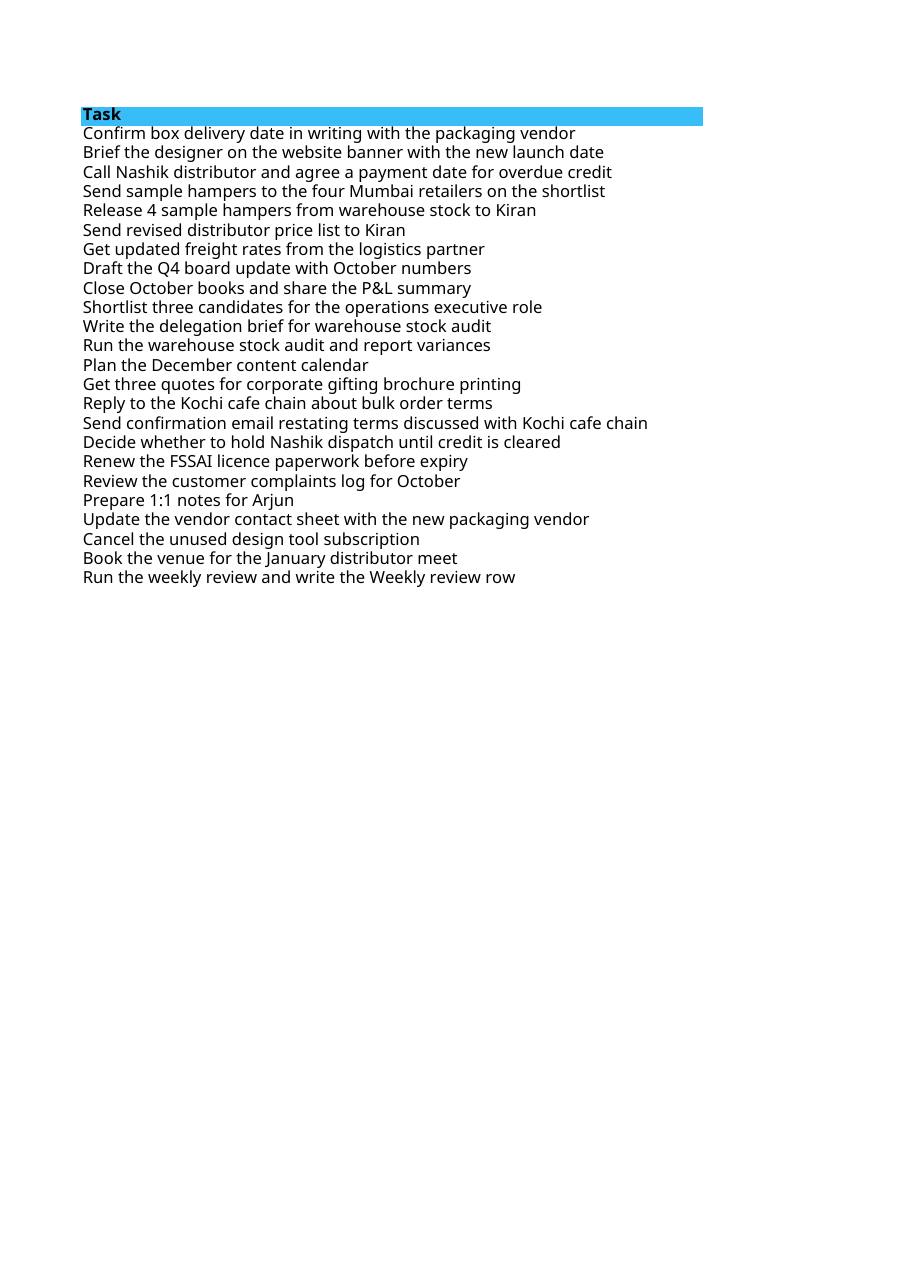
Five sheets that import into Notion as databases and become your dashboard. They arrive filled with one fictional company's week so you can see how the pieces connect.

  • 5 tabs: Tasks, Projects, Meetings, Decisions log, Weekly review
  • Clean columns for Status, Owner, Due, Priority and Project
  • 24 example tasks, 8 projects, 10 meetings, 11 decisions and 7 weekly reviews
  • A Waiting on column that becomes your chase list
  • Opens in Excel or Google Sheets if you do not use Notion
Format
Spreadsheet
Files
1
Size
19 KB
A look inside

From a voice note to a filed task

Dictate on the way out of the meeting. Paste the transcript under prompt 1, then prompt 11. Read the draft, fix what is wrong, and ask for rows your Notion Tasks database can import. That is chain recipe one in the vault.

The Executive Prompt Vault: Notes to Tasks
Paste the transcript under the promptThe Executive Prompt Vault: Notes to Tasks
The Executive Prompt Vault: Notes to Tasks
Check owners and dates, especially the ones marked unconfirmedThe Executive Prompt Vault: Notes to Tasks
The CLEAR Loop Playbook
File the rows and send the follow-upThe CLEAR Loop Playbook
The CLEAR Loop Playbook
The CLEAR Loop PlaybookThe CLEAR Loop Playbook
The Notion Dashboard Workbook
The Notion Dashboard WorkbookThe Notion Dashboard Workbook
The Notion Dashboard Workbook
The Notion Dashboard WorkbookThe Notion Dashboard Workbook

These are actual pages from the product, shown smaller. Swipe to see more.

Why people use it

What changes when you use it

Meetings end with names and dates

The action-item prompt asks for one owner, a calendar date and the quote that proves it was agreed, so the recap is hard to dispute.

You see what nobody owns

A dedicated prompt hunts for orphans, vague owners and dateless promises, and drafts the one-line message that settles each.

Decisions stop being reopened

The Decisions log records who decided, why, and what was rejected, so the same debate does not return every month.

Your week fits your hours

The planning prompts total your meetings first, then fit tasks into what is left and tell you plainly what will not fit.

Delegated work comes back closer to right

The brief prompt covers outcome, what is fixed, what is free and an early checkpoint, the four things most handovers leave out.

One page tells you where to look

The Notion dashboard shows Today, This week, Waiting on and by Project from the same Tasks database.

Your win

The same Monday, two ways

Before

  • Notes that say "discussed pricing, follow up"
  • Tasks owned by "the team" and due "next week"
  • A recap sent three days later, if at all
  • A to-do list nobody has reviewed since last month

With Daybrief

  • "Dev to send the revised price list to Kiran by Fri 14 Nov"
  • One owner and a calendar date on every task, or an honest "unconfirmed"
  • A follow-up drafted for email and WhatsApp while people still remember
  • A Friday review that closes, re-dates or drops every open item
This is for you if
  • Founders and managers who sit in many meetings and own the follow-through
  • Professionals who think aloud in voice notes and want those thoughts turned into tasks
  • Team leads who use Notion, or want a simple structure to start with
  • Anyone willing to read an AI draft carefully before trusting it
Not for you if
  • People who want an app that records meetings for them; this is prompts, a method and a dashboard structure
  • Anyone hoping to skip the checking step and send AI output unread
  • Teams whose rules forbid pasting meeting content into AI tools
Bonus · free with every order

A library of 10,000+ ebooks, yours to download

Along with your Daybrief files you get our bonus library: 10,000+ ebooks and ready-to-edit articles with resale rights, sorted by subject, from business and marketing to health, hobbies and self-growth.

  • Instant download links on your order page, the moment your payment is confirmed
  • Browse by subject, or take the whole library as ZIP files
  • No extra charge, with every option on this page
10,000+bonus ebooksFree with your order
Launch offer · ends 30 Nov 2026

Your next meeting will end either with a list or with a memory.

One payment, instant download, no subscription. The prices below hold until 30 Nov, 11:59 pm IST; after that the full price applies.

Starter

The prompts, the method and the dashboard

₹499₹2,499Save ₹2,000

once · GST included

  • The Executive Prompt Vault: Notes to Tasks
  • The CLEAR Loop Playbook
  • The Notion Dashboard Workbook
  • Bonus: library of 10,000+ ebooks
  • The Prompt Vault: 60 prompts in 6 chapters
  • The CLEAR Loop Playbook with a 7-day plan
  • The Notion Dashboard Workbook: 5 importable sheets
  • Works with free ChatGPT, Claude or Gemini
Get Starter · ₹499
Most complete for the price

Pro

Starter, plus the transcript-to-Notion automation

₹899₹4,499Save ₹3,600

once · GST included

  • The Executive Prompt Vault: Notes to Tasks
  • The CLEAR Loop Playbook
  • The Notion Dashboard Workbook
  • Transcript to Notion Tasks: Automation Kit
  • Bonus: library of 10,000+ ebooks
  • Everything in Starter
  • An importable n8n workflow: transcript in, Notion tasks out
  • A module-by-module Zapier build card
  • Notion setup file for the dashboard and its four views
  • Editable prompts and a sample transcript for safe testing
Get Pro · ₹899

Studio

Pro, plus your own always-on assistant

₹1,299₹6,499Save ₹5,200

once · GST included

  • The Executive Prompt Vault: Notes to Tasks
  • The CLEAR Loop Playbook
  • The Notion Dashboard Workbook
  • Transcript to Notion Tasks: Automation Kit
  • Chief of Staff AI Assistant Kit
  • Bonus: library of 10,000+ ebooks
  • Everything in Pro
  • System instructions for a custom GPT, Claude Project or Gemini Gem
  • Two knowledge files with the Daybrief standards and templates
  • 12 conversation starters and 8 test questions
  • Setup guide for all three apps
Get Studio · ₹1,299

Secure payment by Razorpay: UPI, cards, netbanking. GST invoice and your own order page with every pack; download for 7 days.

Questions

Before you ask

How and when do I get it?

Straight after payment you land on a download page with every file in your tier. The same link is sent to your email.

What formats are the files, and what opens them?

The vault and playbook are PDFs. The workbook is an XLSX file with five tabs that opens in Excel or Google Sheets and imports into Notion. The Automation Kit and the AI Assistant Kit are ZIP folders. The prompts work with free ChatGPT, Claude or Gemini.

Does it work on a phone?

Yes for the everyday part: read the PDFs, copy a prompt, paste a transcript into your AI app and paste the result into Notion's mobile app. Importing the sheets into Notion and building the dashboard views is easier on a laptop, and you do that once.

Is it one payment?

Yes. One payment, no subscription. You keep the files.

Do I need paid tools?

Not for Starter: free ChatGPT, Claude or Gemini and a free Notion account are enough. You do need some way to get a transcript, such as your meeting tool's built-in transcription or your phone's dictation. The Automation Kit needs n8n (a paid cloud plan, or free if you host it yourself) or a paid Zapier plan, plus an AI provider API key billed by usage. A custom GPT needs a paid ChatGPT plan. Plans change, so check current pricing.

Can I use it for my clients?

Yes, for your own work and for work you do for your own clients. You may not resell the files, share them or pass them on as your own product.

What about confidential meetings and recording consent?

Record or transcribe a meeting only when the participants have agreed. Whatever you paste is sent to the AI provider you choose, so check your employer's and your clients' rules first. The playbook has a chapter on this, and the prompts work just as well on your own typed notes.

What is the refund policy, and how long does the link work?

This is a digital product, so there are no refunds once the download link has been issued. If a file is broken or missing, write to us and we will replace it or refund you. The download link works for 7 days, so save the files to your own device or drive when you get them.

Before you buy

Digital product. Delivered instantly. No refunds once the download link is issued. Please read “What you get” above so nothing surprises you. If a file is broken or missing, we replace it or refund you.

You pay once: there is no subscription. Your download link works for 7 days. Sold and invoiced by STARTIONS LLP, with a GST invoice for every order. Help: support@startions.com.

This is Solo Startup proudly run by students from India.

Your next meeting will end either with a list or with a memory.

Daybrief turns messy meeting notes and voice-note transcripts into clear tasks with owners and dates, checked by you.

Get Daybrief · ₹499
₹499 ₹2,499Launch offer ends in …
Get Daybrief